Reviewing the Import


Importing a typical file will show you a screen similar to the below; in this case we have imported three new bureau customers.
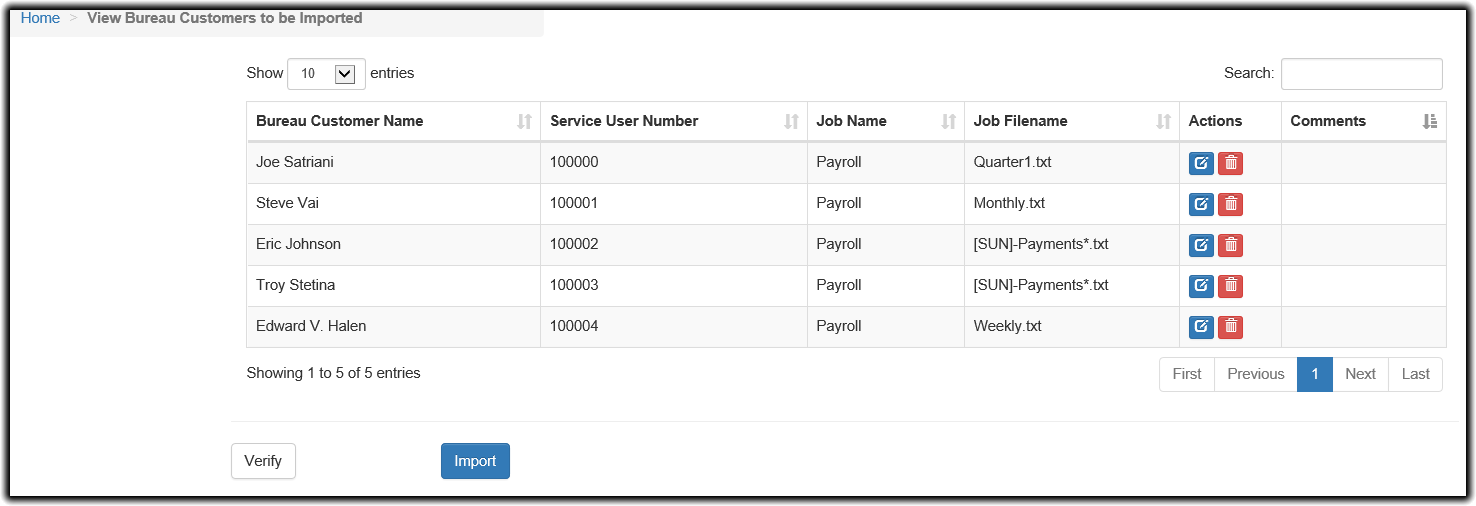
The core pertinent information is displayed on the table The options usually available on the table are as follows:
 Use this button to edit the bureau customer's information prior to importing it
 Use this button to remove the bureau customer from the import entirely
The Edit screen allows you to edit all aspects of the customer information to be imported.
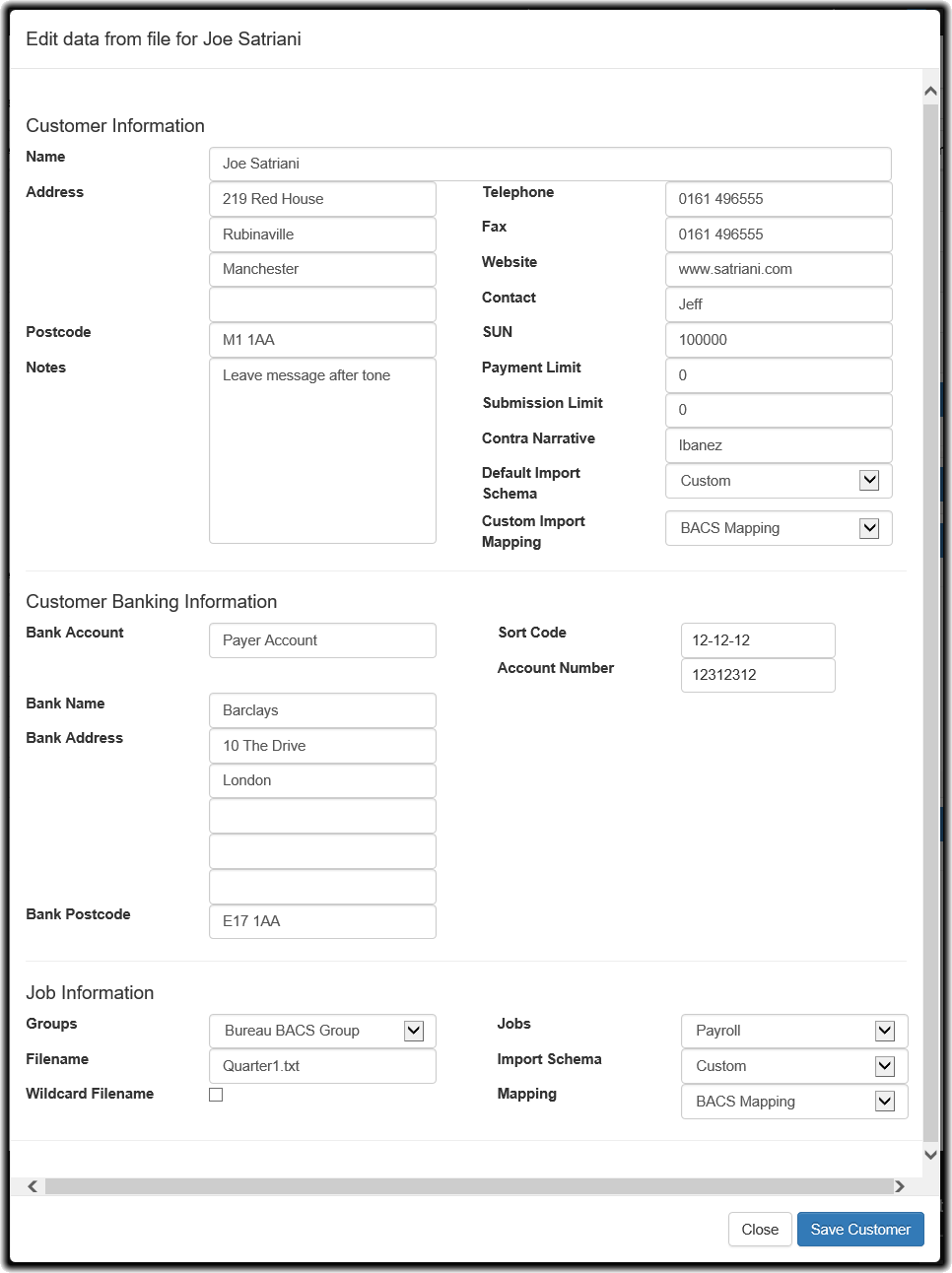
As you can see, where we selected the appropriate group and job in designer, paygate intends to automatically create a new Job Detail within the Payroll Job for the Bureau BACS Group for this bureau customer using the Filename specified in the import. paygate has also verified that none of the details conflict with either data already in paygate or within the import itself. However please read the section on Dealing with incorrect or conflicting data for further information
Verifying the data prior to importing it into paygate

The Verification process checks your data prior to importing it. Notably it will detect if any data you are about to import could cause issues with data either in the rest of the data to be imported or data that already exists in paygate. For example, if a new bureau customer in the import has the same name as another pre-existing bureau customer, this would cause issues with the normal operation of paygate. Verifying the data at any time will allow the system to update reporting of these issues to you in the event that you alter any data in the import.
Importing the data

The import process follows two stages. First, it verifies the data again, just as the above Verify button does. Upon successful verification, it will then begin the process to committing the new data into paygate. When the process is complete, you will see a summary screen detailing the new data which has been added to paygate
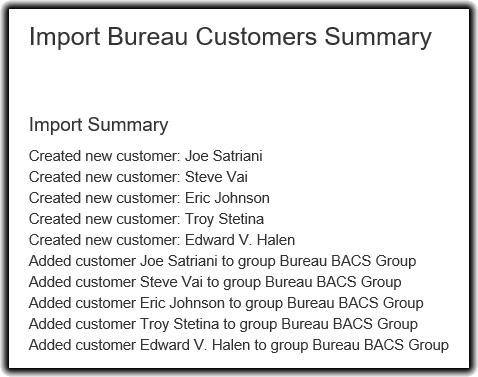
When the import has completed, you will be able to verify that the Bureau Customers have been created under Bureau > Manage Bureau Customers
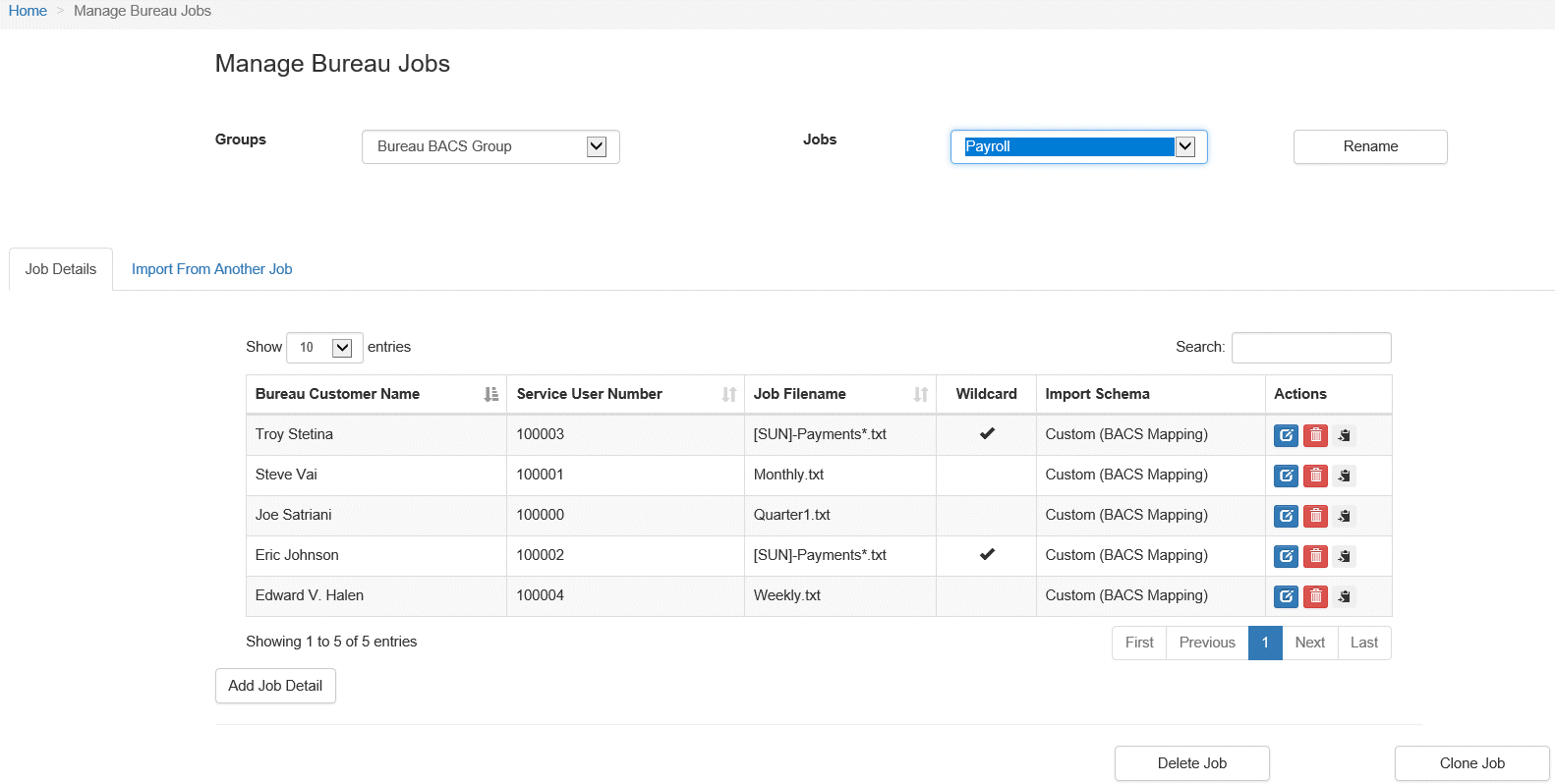
You will also see that our Payroll job has now been updated and contains the new job detail entries as per the import.