Bureau Customer Report


The Bureau Customer Report tool is an easy way to get a bird's eye view of the Bureau Customers configured in paygate. It is intended to be a tool to enable quick checking of where Bureau Customers are assigned.
It is accessible from the reports menu by Reports > Bureau Customer Reports
When entered, the default setting is as shown below:
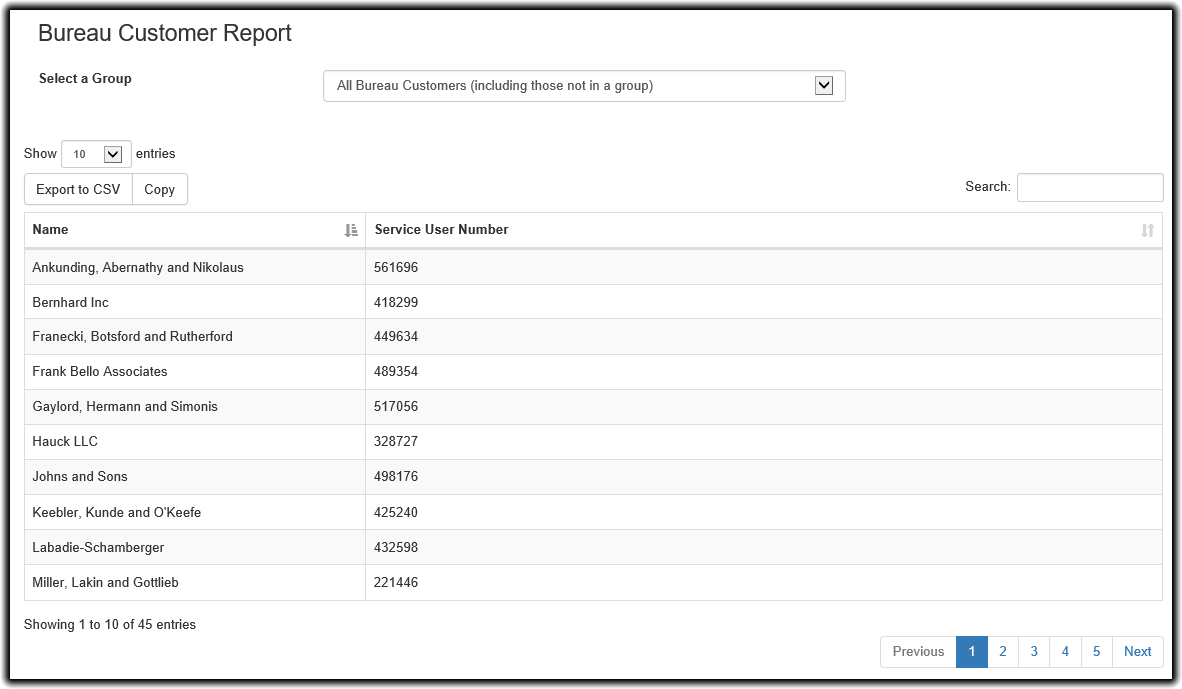
The dropdown menu shows a few options. The first two are always present; after this you can select particular groups to view the associated customers.

All Bureau Customers (including those not in a group)
This option shows a blanket view of all Bureau Customers configured in paygate. The table will simply show all Bureau Customers available on the system
Bureau Customers NOT in a group
This option shows any Bureau Customers which have not been assigned a group. If a Bureau Customer has not been assigned to a group, they cannot be used for a Job Submission.
Selection of a group
By selecting one of your groups from the dropdown menu, paygate will default to showing all Bureau Customers configured to be part of that group. The All Bureau Customers in selected group option in the Select a Job dropdown menu will be automatically selected.
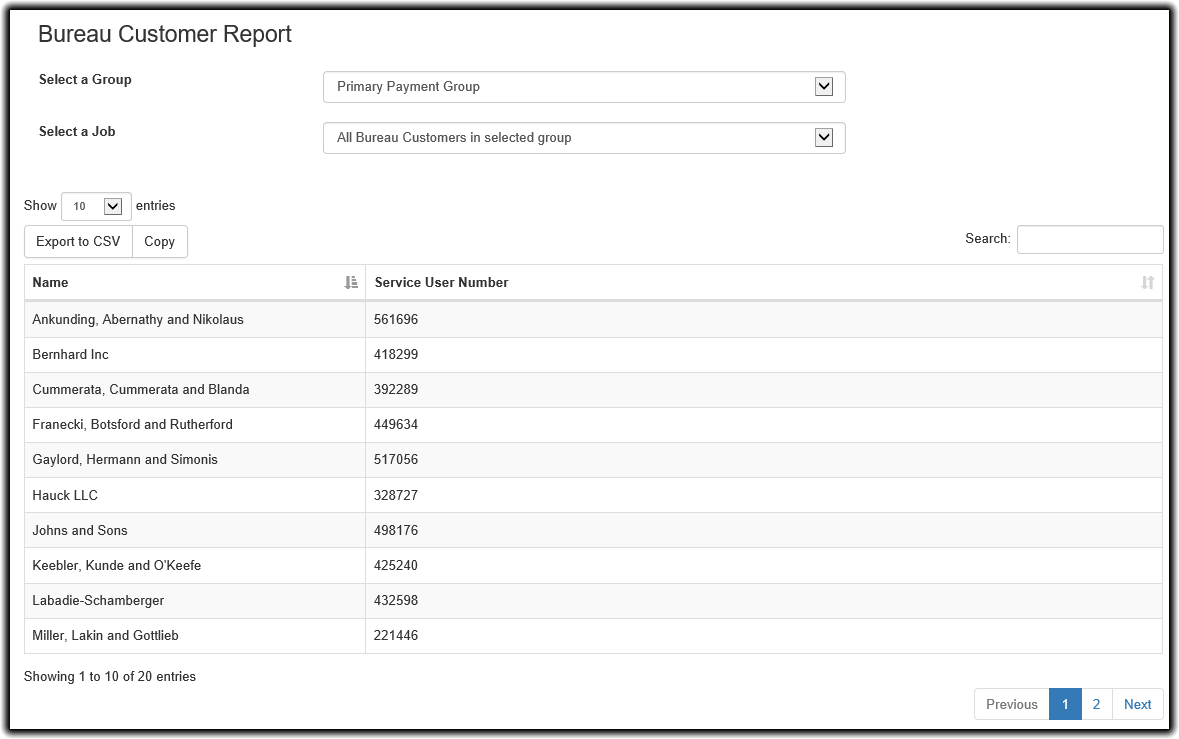
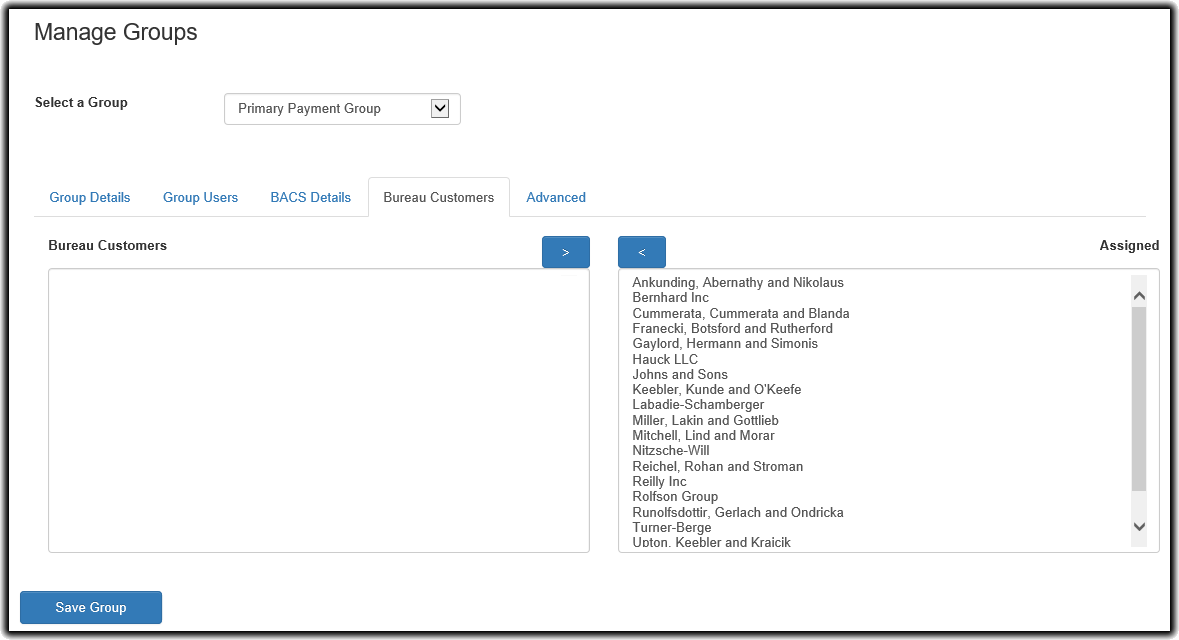
The Bureau Customers are those you configured to be part of the group under Manage Groups > Select Group > Bureau Customers Tab
The Select a Job menu shows the default option as above but will also display all jobs configured in that group.
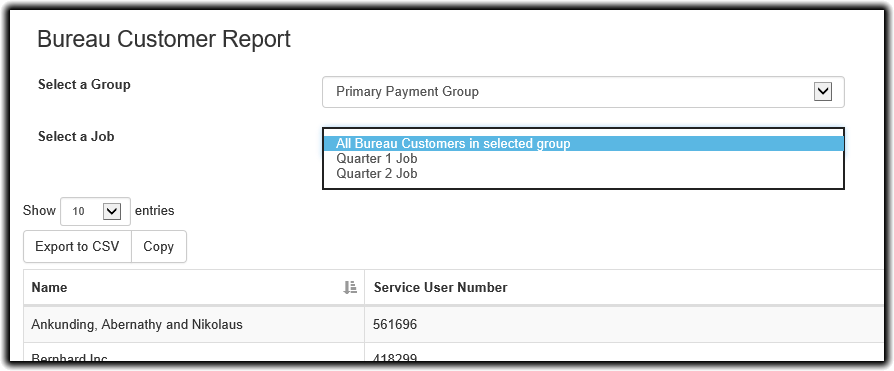
Selecting a job will refine the Bureau Customers shown in the table to display only those configured in the selected group as part of the job you have selected. In this case, we have two Bureau Customers in the job called Quarter 1 Job
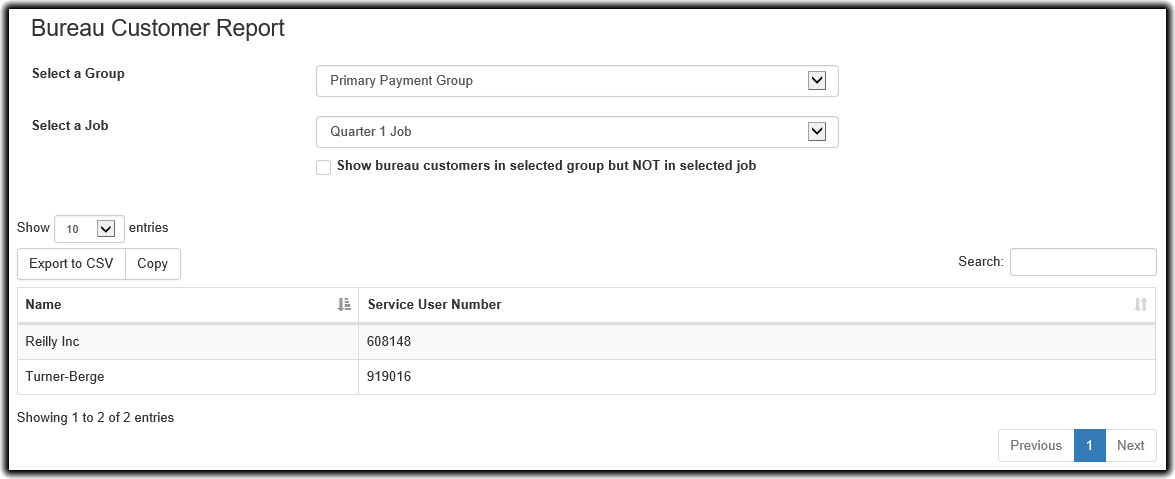
We can also show the inverse of this job selection, that is show all Bureau Customers configured in the selected group but not in the selected job. This is available by clicking the checkbox Show bureau customers in selected group but NOT in selected job
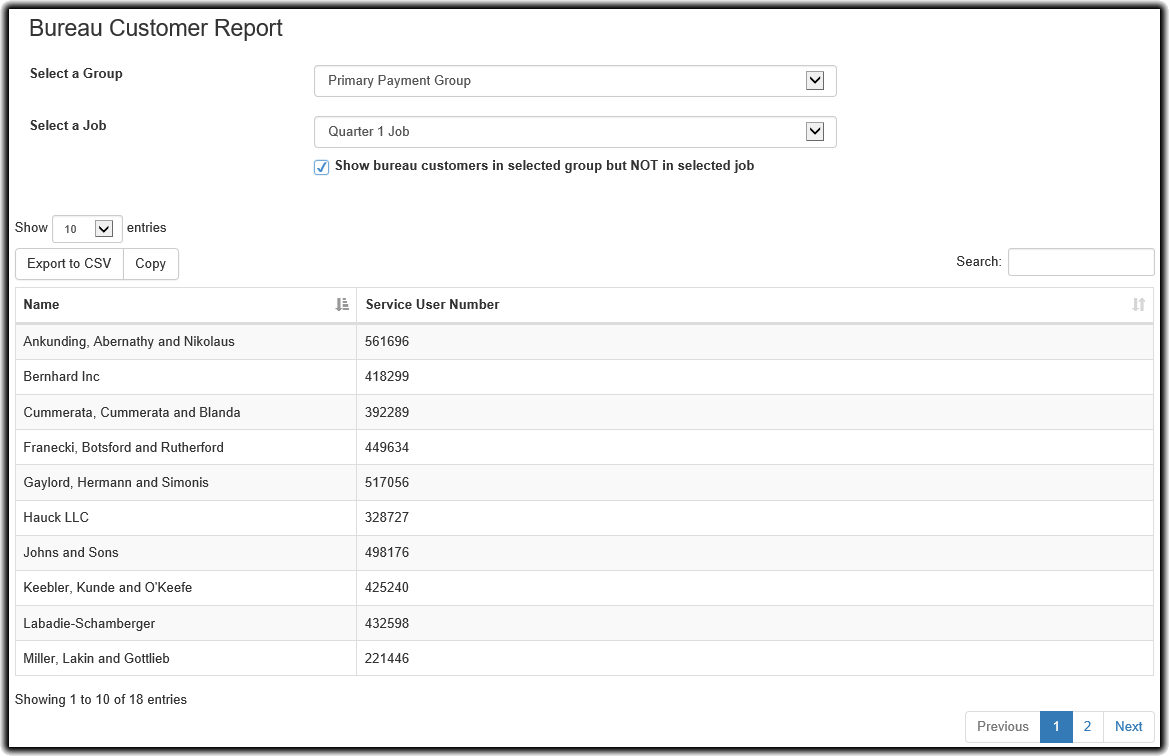
In our example, we have selected the Primary Payment Group and the job Quarter 1 Job. By selecting Show bureau customers in selected group but NOT in selected job, paygate shows the Bureau Customers that are in the group but not in the job. Please note that this does not display the Bureau Customers in this group and not in any jobs at all, just those not in this job.