You can set up a workflow within Designer to import Bureau Customers. It relies on much the same mechanisms of Enterprise in that you will need to set up a Mapping to map between your CSV file and paygate. This is useful if you regularly have volumes of Bureau Customers to import.
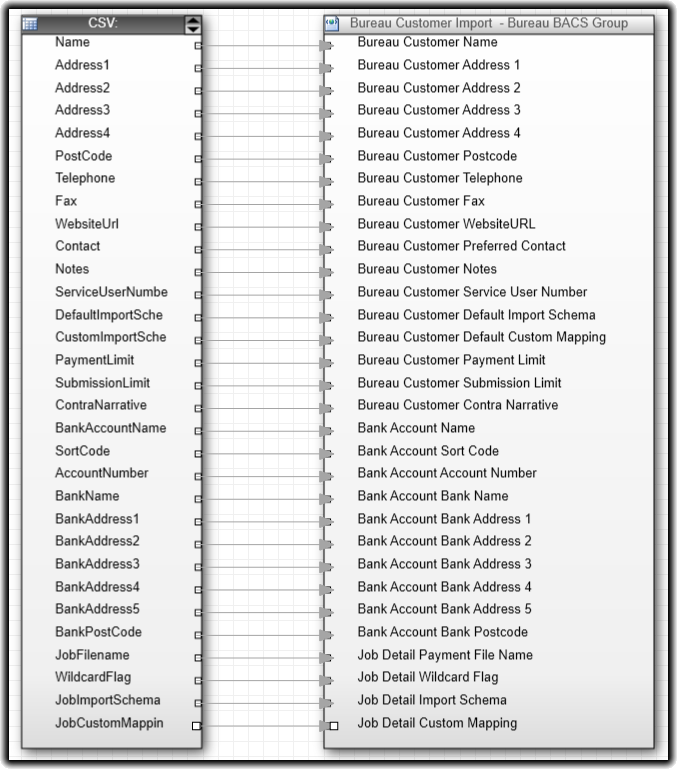
As a reminder, this is the mapping we have already set up:
To create a new workflow in designer, hit File > New Workflow to open a new workflow page. First, we want to create a new Upload Bureau Customers node found in the Workflow > Bureau tree menu.
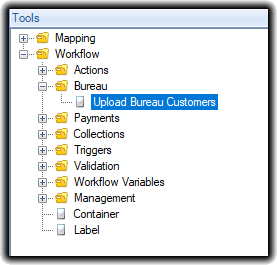
After dragging this onto the new workflow page, you are first presented with this menu:
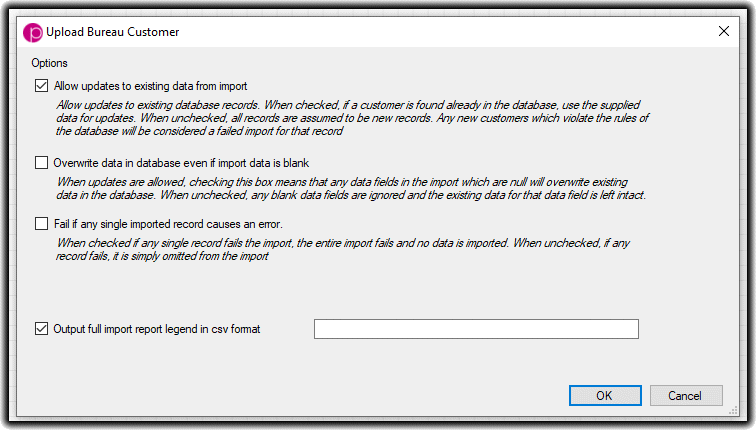
The default options are those as displayed. It is recommended that you leave these options in place, however you can manage you automatic workflow imports in a more granular way.
- Allow updates to existing data from import: This means that if a Bureau Customer already exists in paygate, the import process will overwrite any data on that Bureau Customer that is match by the Import. When you uncheck this, if Workflow matches an import record with that of one already in paygate, it will fail that imported record and not modify the existing data.
- Overwrite data in database even if import data is blank: This means that if Workflow finds that the Bureau Customer exists in paygate, it will overwrite all fields even if they are blank. For example, if the Bureau Customer has had an address change requiring less fields than the existing address, those fields will also be blank once the data has been imported. Note that deselecting Allow updates to existing data from import will automatically deselect this option
- Fail if any single imported record causes an error: If any error occurs in the import, for example missing required fields or there being an already-existing Bureau Customer and allowing updates is switched off, enabling this option means that it will fail the entire import file and import nothing. Leaving this option deselected means Workflow will import any records that it can and omit those that it cannot
- Output full import legend in CSV format: This option is recommended in all circumstances. It simply builds a list of all records that Workflow will import with comments on the last column that denotes why any particular records failed to import.
This is a typical workflow set up. It comprises a simple CRON trigger connected to the mapping we created earlier which is then connected to the Upload Bureau Customers workflow node.

This is a very simple set up; please see the section on Workflows & Mapping in this documentation to learn more about what options are available in workflow.


