Find Payments - Full Payment Report


Viewing the submission details for a Bureau Payment yields a second report type specifically for Bureau. This can be accessed either by selecting:
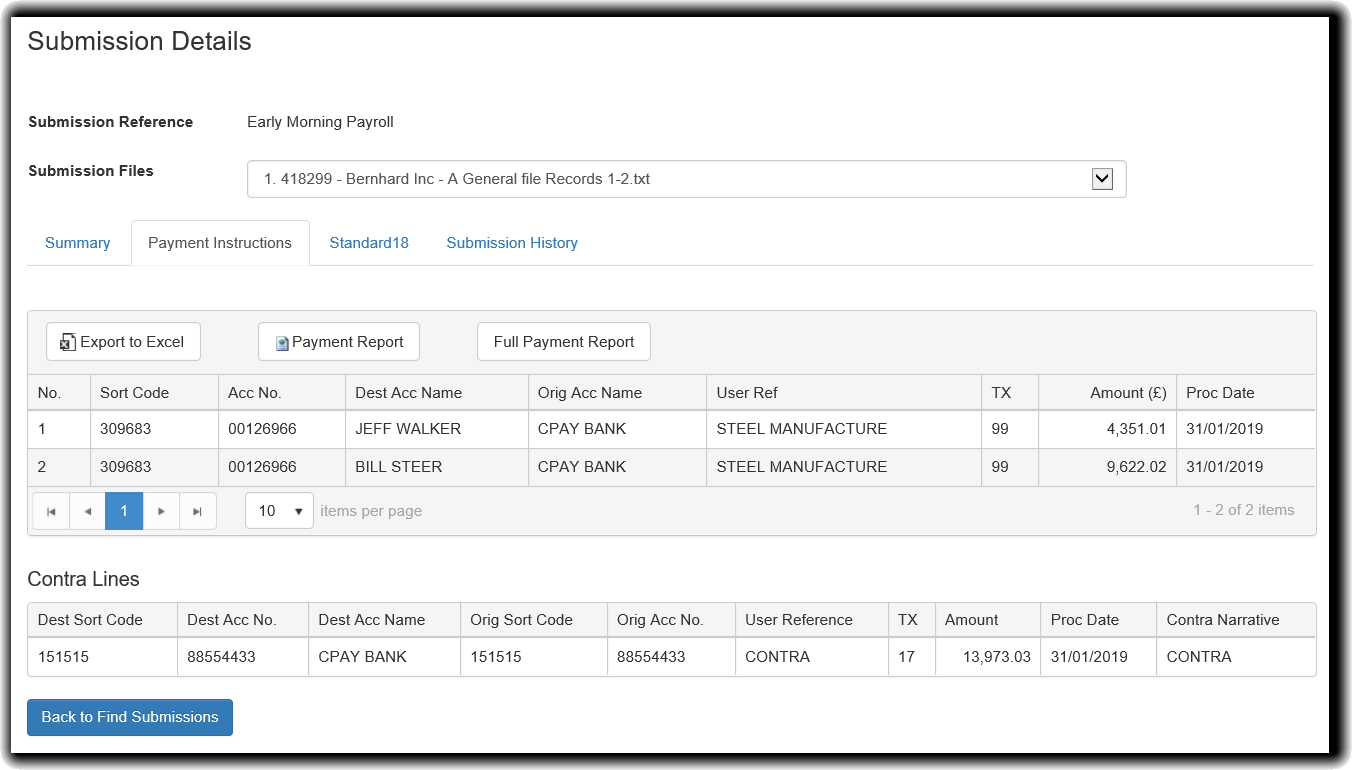
In our example, we have a submission with two files loaded. These are selectable individually from the dropdown menu labelled Submission Files
The Excel Export and Payment Report will list the payment items in the submission in a condensed fashion.

Here is a sample; the table shows which file number and record number each payment item belongs to. This report does not show contra lines.
Full Payment Report
The Full Payment Report is a much more expanded version of the report. It lists the payments, contra lines, summaries of each file and a summary for the entire submission
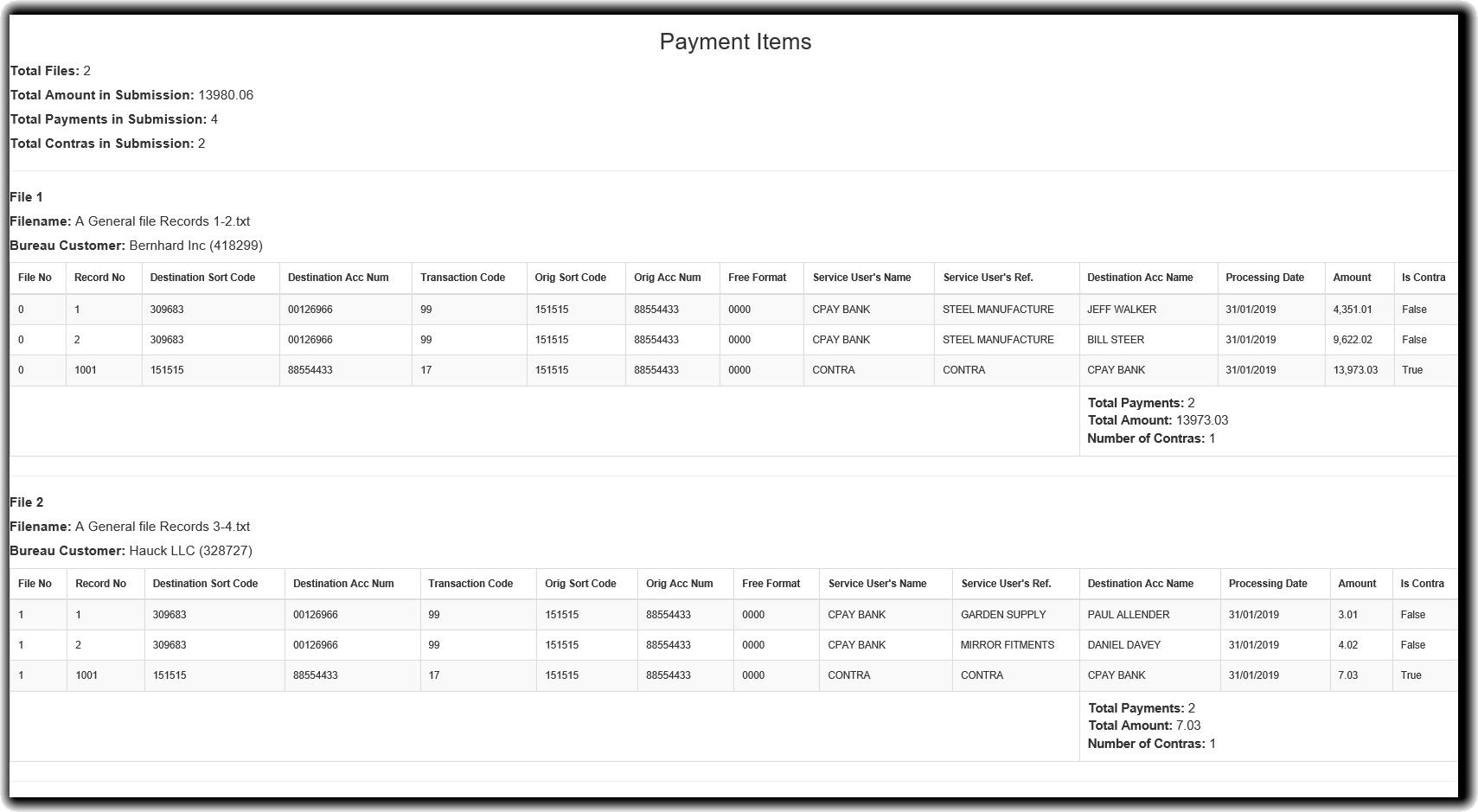
The report is sectioned into two main elements.
Summary Section (Top)
Summary section gives information regarding the whole submission. That is how many files were included in the submission, the total amount of the payments in the submission, the total number of payments in the submission and the total amount of contra lines that are in the submission. This information is then broken down into files:
Individual File Sections
The sections following this summary represent the contents of each of the files used in the submission. It also includes the number of payments, total amounts and number of contras contained in each particular file.